
If you’ve ever found yourself stuck in a long MRT-3 ticket line during rush hour, scrambling for coins or small bills, here’s some game-changing news for you.
Starting this month, your daily MRT-3 commute just got a major upgrade — you can now use GCash to pay for your train rides. That means faster entries, fewer lines, and no more hunting for exact change.
Thanks to a partnership between GCash and the Department of Transportation, the MRT-3 has rolled out a cashless automated fare system that makes commuting more seamless and efficient. Whether you’re rushing to work or heading home after a long day, you now have three easy ways to pay using GCash — and yes, each one helps you skip the dreaded ticket booth line.

Here’s how you can ride smarter with GCash:
- Tap to pay using your Android phone
Got an NFC-enabled Android phone? Your device just became your MRT ticket.
With GCash Tap to Pay, all you need is your phone:
- Open your GCash app and go to Settings
- Turn on NFC
- Log in and select Tap to Pay
- Accept the terms — and you’re done

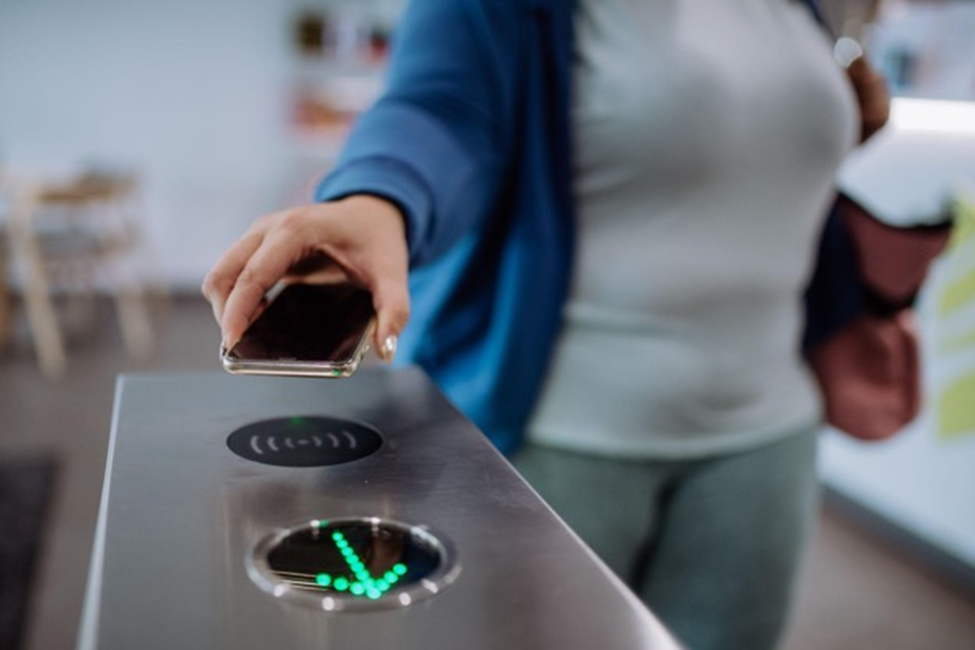
To ride, simply open your GCash app and tap your phone at the turnstile. It’s that easy.
- Scan with a GCash Commute QR
No NFC? No problem. Generate a Commute QR Code in the GCash app — it works like a digital ticket.
Here’s how:
- Tap Commute in the app and generate your QR code
- Show the code at the MRT fast lane scanner
- Do the same when you exit, and your fare is automatically deducted

Bonus: If you’re on Globe or TM, this works even without mobile data.
- Tap with your GCash Visa Card
Prefer using a card? The GCash Visa Card works just like a Beep card — just tap in and out. But here’s the bonus: it pulls directly from your GCash wallet, so there’s no need to load separately.
Even better, you can use the same card for shopping, online purchases, and ATM withdrawals (for as low as P10 per transaction).
To get started:
- Open your GCash app, go to Cards, and choose Order a Card
- Pay P250 and get it delivered in 7 to 10 days
- Once received, link it in the app and activate
Note: For now, if you use the card, any change from your fare will be credited to your GCash wallet within 24 hours.
A smoother, smarter commute
With GCash now part of your daily train ride, commuting on the MRT-3 is quicker, more convenient, and a whole lot less stressful. Whether you’re tapping your phone, scanning a QR, or swiping your card, you’re skipping the ticket lines and stepping into a more modern way to move.
Just make sure you’ve got at least P28 in your GCash wallet — the maximum fare from North Avenue to Taft — and you’re good to go.
So the next time you’re headed to the MRT, skip the queue and go cashless with GCash. Your time and sanity will thank you.