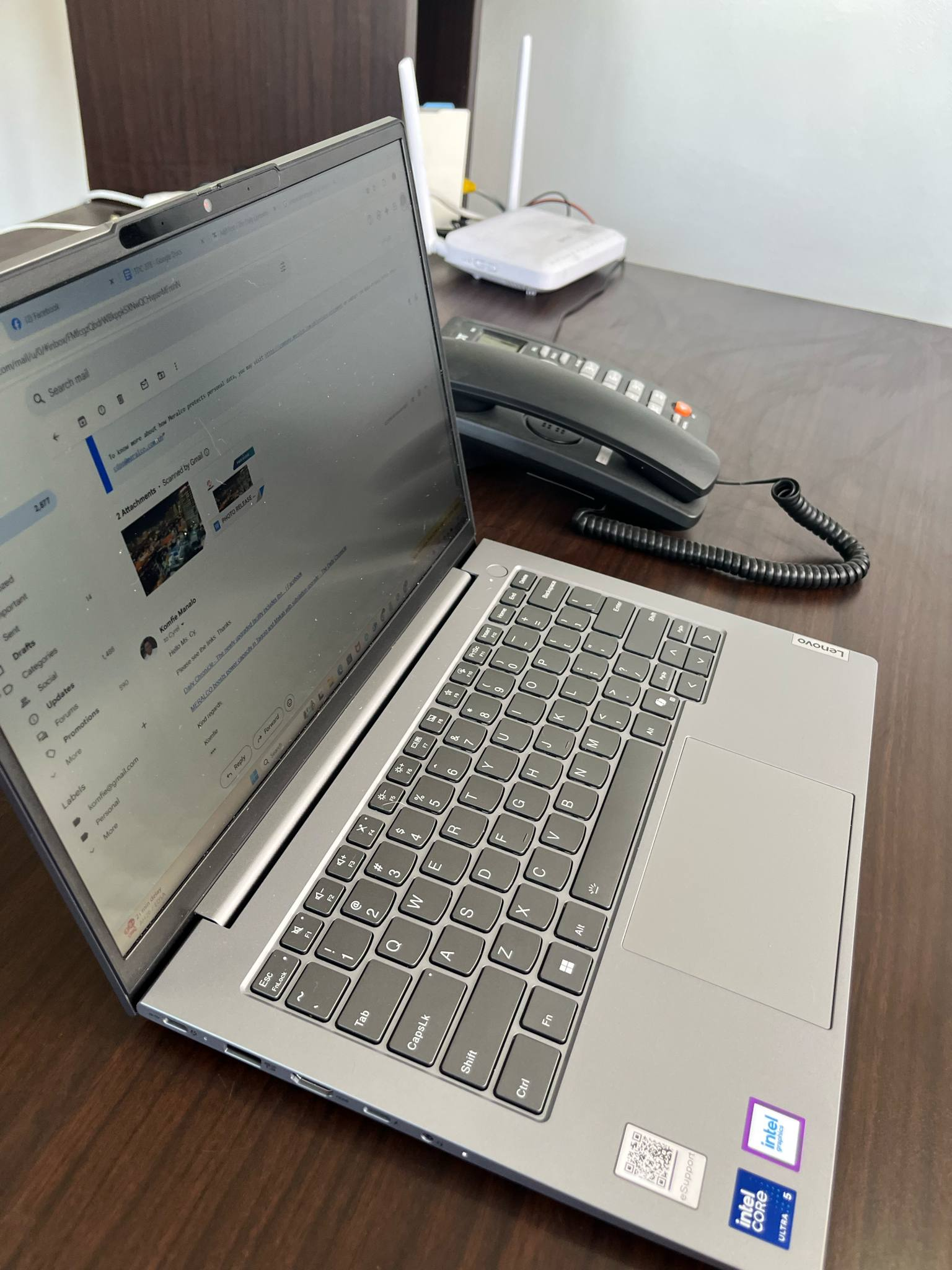

In a world teeming with flashy, ultra-premium laptops loaded with bells and whistles, the Lenovo ThinkBook 14 takes a refreshingly different path. It doesn’t scream for attention—because it doesn’t need to. Designed with practicality at its core, this business-oriented laptop quietly delivers where it matters most: everyday usability, durability, and just enough performance for the modern professional.
As a journalist who’s constantly on the move, I’ve had the opportunity to test the ThinkBook 14 in real-world scenarios—coffee shops, airports, press events, and the occasional park bench.
Its sleek, minimalist design and modest 1.5kg weight make it a convenient travel companion. While not the lightest 14-inch laptop on the market (competitors like the Lenovo X1 Carbon shave off a few hundred grams), it’s compact enough to slip into a messenger bag without strain.
Understated yet functional design
The ThinkBook 14’s aesthetics are best described as clean and corporate. The aluminum chassis sports a brushed metal finish with a subtle ThinkBook logo that adds just a hint of style without drawing attention.
It’s clearly built for professionals who value discretion over flair. The chassis feels solid, with minimal flex even under pressure—a reassuring feature for commuters prone to accidental bumps and scrapes.
One of the standout features in day-to-day use is the port selection. Lenovo has outfitted the ThinkBook 14 with an impressive array of ports: USB-A, USB-C (including one that supports charging), HDMI, Ethernet, an SD card reader, and even a hidden USB port ideal for a wireless mouse dongle. With such variety, there’s rarely a need to carry extra dongles—a true blessing for mobile professionals.

Display: Functional but underwhelming
The 14-inch display comes in a few configurations, ranging from a basic 1200p IPS touchscreen to a more premium 2.8K 120Hz panel. Our unit came with the standard 1200p screen. While the resolution is adequate for general productivity and casual media consumption, the brightness leaves much to be desired.
At just 250 nits, it struggles in well-lit environments, particularly outdoors. Even with the matte coating to reduce glare, visibility suffers. This is not a screen you’ll want to use under direct sunlight or bright overhead lighting.
Color reproduction is acceptable for tasks like editing documents or browsing the web, but don’t expect to be blown away when watching movies or working with media. It’s a utilitarian panel through and through.
Performance: Just right for the target audience
Performance-wise, the ThinkBook 14 meets its intended audience’s expectations. With configurations ranging from Intel’s Core i5 to the latest Meteor Lake-U CPUs (like the Core Ultra 5 125U), this machine handles basic productivity tasks with ease. I regularly juggle multiple browser tabs, light photo editing, and document writing, and the laptop keeps up without a hitch.
It’s worth noting that while integrated Intel graphics are fine for video streaming and casual gaming, you won’t be editing 4K videos or playing modern AAA titles on this machine. That said, Lenovo does offer some models with 16GB or even 32GB of DDR5 RAM, which gives a bit more breathing room for multitasking-heavy workflows.
Thermals are well-managed. The fans stay quiet under most workloads, only becoming noticeable during heavy multitasking or software updates. The cooling system appears to be borrowed from Lenovo’s larger 16-inch ThinkBook model, which means it’s more than sufficient for the 14-inch chassis.
Keyboard, touchpad, and biometrics: Solid ergonomics
The keyboard is one of the better aspects of the ThinkBook 14. With satisfying key travel and a familiar layout, typing for hours feels comfortable and responsive.
The touchpad is responsive, though occasionally too sensitive—there were moments when I unintentionally dragged items across the screen instead of clicking. It’s a minor annoyance but worth noting for those who rely heavily on touch gestures.
A thoughtful inclusion is the fingerprint reader built into the power button. It works reliably for quick logins and adds a layer of convenience and security—especially useful when working on the go.
Battery life: Better than expected
Despite the need to crank the display brightness due to its low peak nits, the ThinkBook 14 manages to squeeze out a full workday’s battery life. I consistently hit around 8 hours on a single charge with moderate use, including Wi-Fi browsing, music streaming, and writing.
Charging is done via a compact 65W USB-C brick that’s light and easy to carry—ideal for travel.
Lenovo also includes a small LED indicator on the charger to confirm power delivery. It takes a second to light up, which can make you second-guess the plug-in at first, but once you’re used to it, it’s a helpful little touch.
Final verdict: Practicality over prestige
The Lenovo ThinkBook 14 isn’t trying to be a statement piece, nor is it aiming to compete with luxury ultrabooks like the HP Spectre or MacBook Air. Instead, it carves out a niche as a dependable, reasonably priced laptop for students, freelancers, and business professionals. It delivers the basics: portability, reliability, ample ports, and solid battery life.
Sure, it’s not without flaws—the screen is dim, and the weight, while manageable, could be lighter. But when you factor in its balanced performance, durable build, and travel-friendly features, the ThinkBook 14 becomes a compelling choice for anyone who needs a no-fuss laptop that gets the job done.